
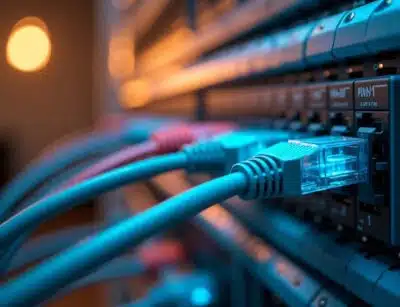
Wi-Fi gets most of the attention in modern office technology conversations, but every wireless access point, VoIP phone, and cloud connection ultimately depends on a physical cable running through the walls. Choosing the wrong cabling category during a build-out or renovation is one of the most common ways a business quietly limits its own network performance for years, since re-running cable through finished walls later is far more disruptive and expensive than specifying the right category the first time.
Cabling Category Comparison
| Category | Max Speed | Max Distance at Top Speed | Bandwidth | Best Suited For |
| Cat5e | 1 Gbps | 100 meters | 100 MHz | Basic devices, VoIP phones, printers, light-traffic connections |
| Cat6 | 10 Gbps | 55 meters (1 Gbps at full 100 meters) | 250 MHz | Small to mid-size offices, short-run high-speed connections |
| Cat6a | 10 Gbps | 100 meters | 500 MHz | Full-building installations, growing businesses, PoE-heavy environments |
Why the Category Choice Matters More Than It Used To
The gap between these categories has become more consequential as offices add more networked devices, cloud-dependent applications, and power-hungry equipment connected directly over Ethernet. Cat5e, once the standard baseline, supports gigabit speeds over the full 100-meter cable run but is generally not recommended for new in-wall installations today, since it offers no meaningful bandwidth headroom for future growth and is more prone to interference than newer cable types.
Cat6 improves on this significantly, supporting 10 Gbps speeds, but only over runs up to about 55 meters. Beyond that distance, performance drops back down to gigabit speeds. For a small office where wiring runs are short, this limitation may never be noticed. For a larger office or a multi-floor building, it can become a real constraint depending on where equipment closets and end devices are located relative to each other.
Cat6a closes that gap entirely, maintaining full 10 Gbps performance across the complete 100-meter channel, doubling Cat6’s bandwidth to 500 MHz, and offering meaningfully better shielding against electromagnetic interference and crosstalk. This makes it the standard recommendation for any new full-building installation, particularly in environments with a lot of networked equipment running in close proximity to electrical systems.
The Labor Cost Argument for Going Bigger Than You Think You Need
One detail that often gets missed in the cabling decision is that the labor cost to run a cable through a wall is essentially the same regardless of which category is chosen. The cable itself is a relatively small percentage of the total installation cost, while the labor to pull it through walls, terminate it, and test it stays constant. This means the cost difference between installing Cat6 and Cat6a during new construction or a renovation is often much smaller than business owners expect, while the cost of upgrading later, after walls are finished and painted, is substantially higher.
This is particularly relevant for businesses planning any kind of growth, since network demands rarely shrink over time. A cabling infrastructure installed today needs to support not just current phone and computer needs, but Wi-Fi access points, security cameras, and cloud-based applications that are increasingly standard in day-to-day operations.
Power Over Ethernet Considerations
Modern cabling infrastructure often needs to carry power as well as data, a capability known as Power over Ethernet, or PoE, which is used to power devices like VoIP phones, security cameras, and Wi-Fi access points directly through the network cable rather than requiring a separate power outlet at every device location. Cat6a supports higher PoE power delivery than Cat5e or standard Cat6, which matters increasingly as more device types rely on PoE rather than traditional wall power.
Questions Worth Asking Before a Cabling Project
Business owners planning a new build-out or a cabling upgrade should ask specifically what category is being proposed and why, what the actual cable run distances will be between the equipment closet and the farthest device locations, whether the installation will need to support Power over Ethernet devices such as cameras or Wi-Fi access points, and whether the quoted labor cost changes meaningfully based on which cable category is selected.
Structured Cabling from System Communications
System Communications has installed structured cabling for Colorado Front Range businesses for more than 35 years, pairing every installation with hands-on training so staff understand how to use the systems connected to that infrastructure. The company serves Denver and the surrounding metro area with fully trained and certified technicians who build custom-tailored voice and data solutions rather than a one-size-fits-all package. To discuss a structured cabling project or network infrastructure upgrade, contact System Communications in Denver at (303) 688-6191.
Frequently Asked Questions
Is Cat6a worth the extra cost for a small office? For most new installations, yes, since the primary cost driver is labor rather than the cable itself, and Cat6a provides significantly more bandwidth headroom for future growth compared to Cat5e or standard Cat6.
Can Cat5e cable be used for a VoIP phone system? Yes, Cat5e is generally sufficient for VoIP phones and other low-bandwidth devices, though many businesses choose to standardize on a single higher category throughout a building for consistency and future flexibility.
What happens if a cable run exceeds the maximum distance for its category? Performance degrades beyond the rated distance, meaning a Cat6 run longer than about 55 meters will typically fall back to gigabit speeds rather than reaching its full 10 Gbps potential, and significantly longer runs can experience signal loss or interference issues.
Does the cabling category affect Wi-Fi performance? Yes, indirectly. Wireless access points still connect to the network through a physical cable, and a higher category cable with more bandwidth and better PoE support allows access points to perform at their full potential rather than being bottlenecked by the wired connection feeding them.